ESP32 DHT11 Sensor Module with Arduino IDE
## Introduction This project uses a DHT11 sensor to measure temperature and humidity. The sensor sends digital data to a microcontroller like Arduino or ESP32. It is easy to use and does not require analog conversion. This setup is commonly used in weather monitoring and automation projects. ## **Re
#Introduction
This project uses a DHT11 sensor to measure temperature and humidity.
The sensor sends digital data to a microcontroller like Arduino or ESP32.
It is easy to use and does not require analog conversion.
This setup is commonly used in weather monitoring and automation projects.
#Required Components
- ESP32 Board
- DHT11 Sensor Module
- Jumper Wires
- Breadboard (optional)
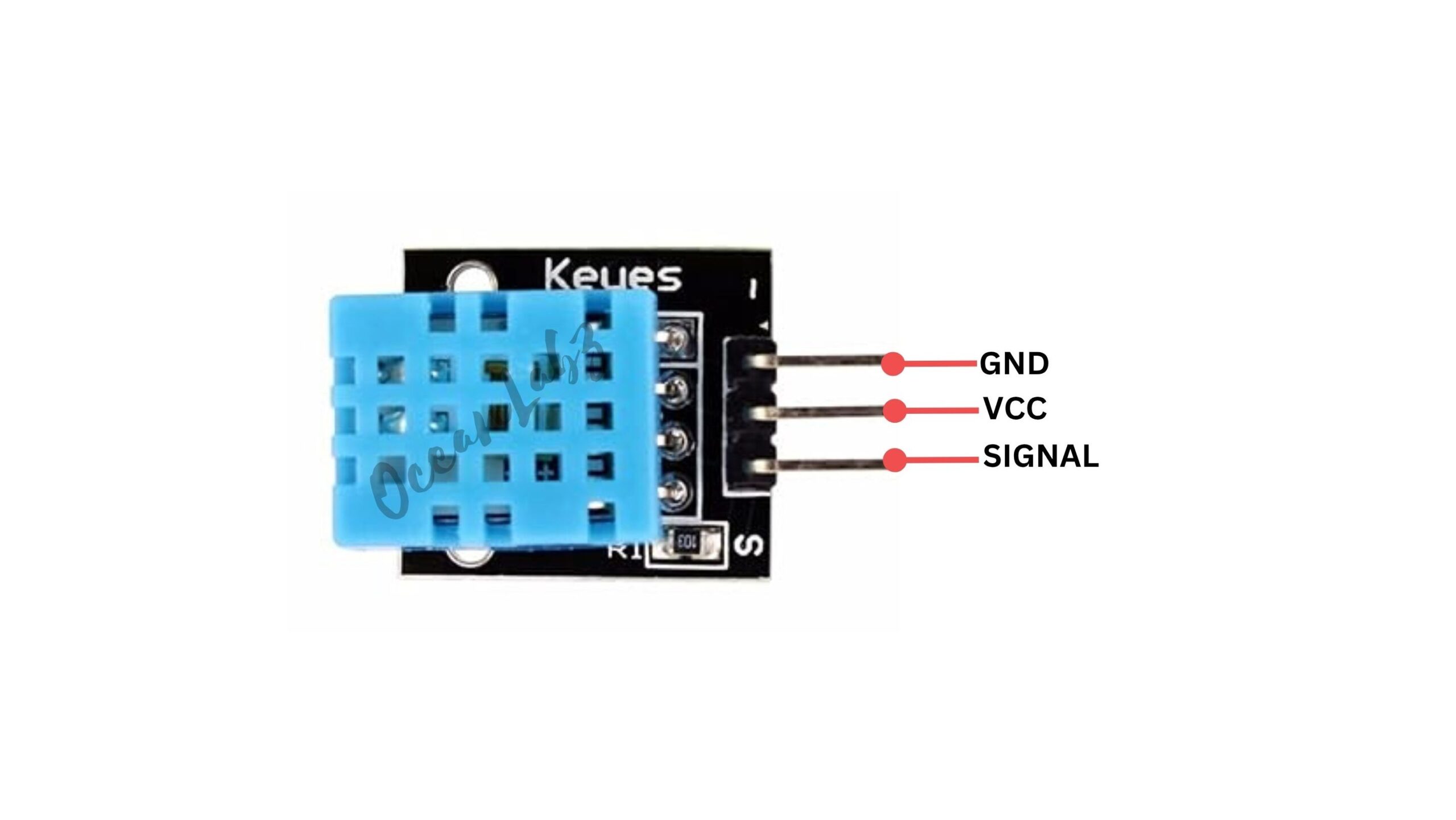
#Pinout
#Circuit Diagram / Wiring
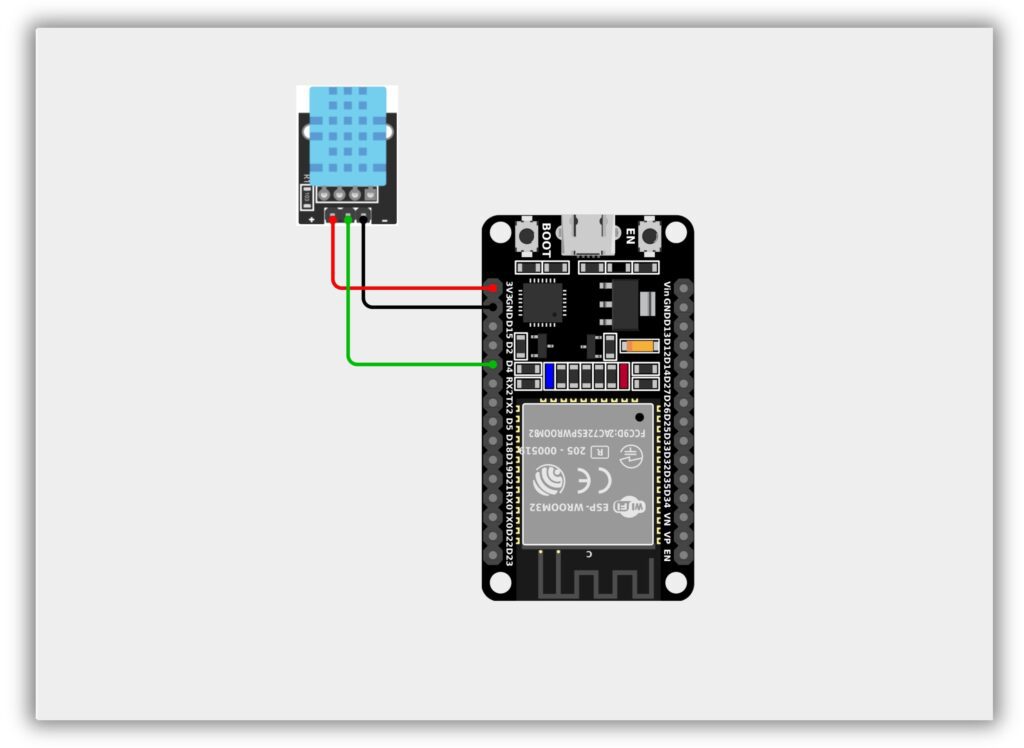
- DHT11 → ESP32
- VCC → 3.3V
- GND → GND
- DATA → GPIO 4
#Code / Programming
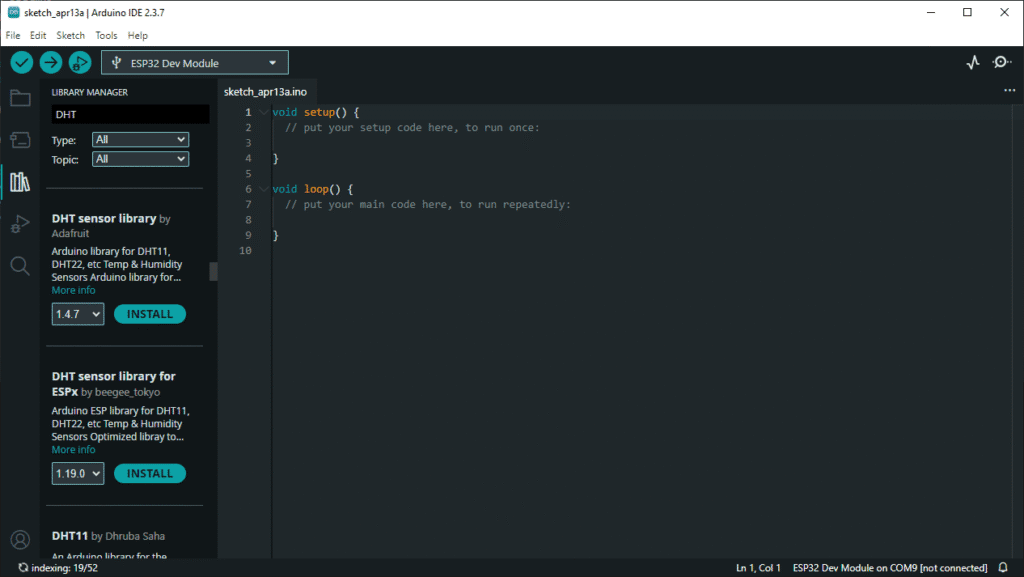
- Install Required Library (via Arduino Library Manager).
- Go to the “Libraries” tab on the left-hand side of the screen.
- Click on the “Library Manager” button (book icon) at the top of the Libraries tab.
- In the Library Manager window, type “DHT” in the search bar.
- Locate the “DHT sensor library” library by Adafruit click on the “Install” button next to it.
- Wait for the library to be installed, and you’re ready to use the DHT library in your projects.
/*********************************************************************** * Filename : DHT11_Sensor.ino * Author : www.oceanlabz.in * Modification: 1/4/2025 ***********************************************************************/
#include "DHT.h"
#define DHTPIN 4 // Data pin connected to GPIO 4 #define DHTTYPE DHT11 // DHT11 sensor
DHT dht(DHTPIN, DHTTYPE);
void setup() { Serial.begin(115200); Serial.println("DHT11 Sensor with ESP32");
dht.begin(); }
void loop() { float humidity = dht.readHumidity(); float temperature = dht.readTemperature(); // Celsius
// Check if any reads failed if (isnan(humidity) || isnan(temperature)) { Serial.println("Failed to read from DHT sensor!"); return; }
Serial.print("Temperature: "); Serial.print(temperature); Serial.print(" °C | ");
Serial.print("Humidity: "); Serial.print(humidity); Serial.println(" %");
delay(2000); // DHT11 needs ~2 seconds delay }
#Explanation
- Reads temperature and humidity data from the DHT11 sensor using GPIO pin on the ESP32.
- Processes the sensor data and checks for any reading errors.
- Displays the temperature (°C) and humidity (%) values on the Serial Monitor every 2 seconds.
#Troubleshooting
- If no data is shown, check wiring (VCC → 3.3V, GND → GND, DATA → correct GPIO) and ensure the correct pin is defined in code.
- If showing “Failed to read,” verify library installation and add a 10k pull-up resistor (for non-module DHT11).
- If readings are unstable, ensure proper power supply and add a delay of at least 2 seconds between readings.